


.png)
LaserPecker LP1 Plus Review: Why This Portable Laser Engraver Has a Place in Prepping, Outdoor Life & UKSN Field Kits

At first glance, the LaserPecker LP1 Plus looks like the sort of compact tech that sits somewhere between a maker gadget and a premium desk accessory, the kind of device you would expect to see demonstrated on a workbench rather than anywhere remotely connected to outdoor use, prepping, camping, or organised field activity.
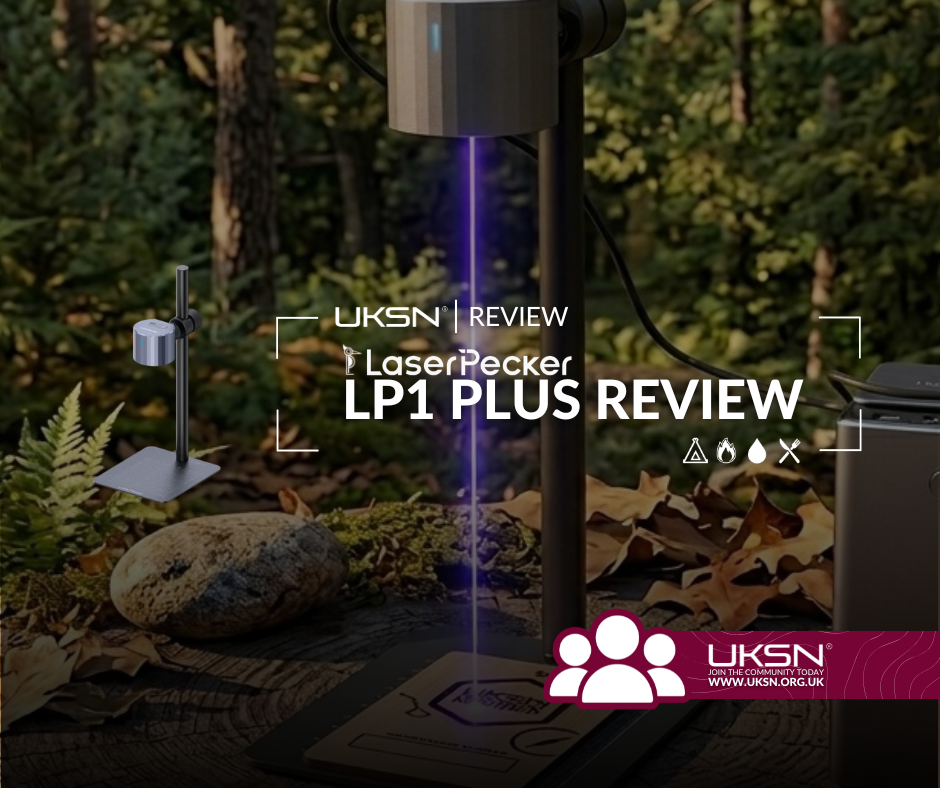
The laser itself is tiny, neatly engineered, app-controlled, and clearly designed with accessibility in mind, which makes it very easy to underestimate before you have actually seen what it can do in practice.
Spend a bit of time with it though, and that first impression starts to shift. What you are actually looking at is not a novelty engraving toy, but a portable marking system that has found a surprisingly practical role in organisation, identification, and on-the-spot kit management, particularly in group, family, and Charter environments where clarity matters.

LaserPecker LP1 Plus Pros and Cons at a Glance
✅ Pros
Compact and genuinely portable only requring a 5V powerbank to opeate!
Can be used in field, camp, and event environments
Produces clean, consistent marking on suitable materials
Strong for kit identification and real-world organisation
Excellent for personalising school kit, Charter/Scout gear, and shared equipment
Useful for labelling radios/Project LoRa nodes and applying callsigns or identifiers
Simple app-based control suitable for quick deployment
❌ Cons
Cannot engrave metal, with coated metals remaining unreliable
Limited to specific material types such as paper, wood, leather and plastics
Requires a stable surface for accurate operation
Not designed for high-volume production workflows
App-based system may feel restrictive to advanced users
UKSN Rating: ★★★★ (4/5)
Materials and Reality Check
There is a tendency with budget, compact laser engravers to assume a wider capability range than they genuinely offer, and this is where expectations need to be set clearly. The LP1 Plus does not engrave bare metal, and attempts to push it into that territory are not practical. Coated metals also sit in a grey area where results tend to be inconsistent rather than reliably usable for permanent marking, so it is best not to rely on them for anything important.

However, the LaserPecker LP1 Plus performs well on non-metal, softer, or surface-reactive materials, including:
Wood (softwood, plywood, bamboo, etc.)
Leather (natural and PU types)
Cardboard and paper products
Certain plastics (typically darker or laser-reactive types)
Acrylic (non-transparent or suitable engraving grades)
Fabric or felt materials
Coated or painted surfaces (where the laser removes the top layer rather than cutting into the base material)
It can also handle more creative surfaces in controlled settings, such as food items for decorative marking, though that sits more in the hobby/novelty category than practical prep use.

In Use: Where It Actually Comes Alive
Where the LP1 Plus becomes genuinely interesting is not in what it is capable of in theory, but in how it behaves in real, practical environments where organisation tends to break down.
Anyone who has spent time around group kit, camps, events, or shared equipment will recognise how quickly things become indistinct once labels fade, marker pens wear off, or temporary identifiers get removed or ignored. In those situations, clarity becomes a real operational advantage rather than a nice-to-have detail.
This is where a permanent marking system starts to make sense in a very immediate way.
At a practical level, it is particularly effective for things like children’s school kit, where items have a habit of disappearing or returning without context, or UKSN Charter / Scout equipment where similar gear is constantly being mixed, shared, and reused across different people and activities. Being able to clearly and permanently mark ownership removes a surprising amount of friction from those situations.
It also translates well into communications gear, particularly radios and accessories, where callsigns or identifiers can be applied cleanly and consistently so that equipment remains instantly recognisable without needing labels that will eventually peel or wear away.
For UKSN specifically, this opens up a useful angle during camps and events, where being able to personalise member kit on site turns it from a preparation tool into something that actively supports organisation in real time.
QR Codes: Where Physical Kit Meets Digital Information
One of the most genuinely useful applications of the LP1 Plus is its ability to produce clean, scannable QR codes directly onto suitable materials, which opens up a far more practical layer of use than simple labelling alone. Rather than just marking ownership, you can effectively link physical kit to structured digital information that stays accessible even when the item is separated from its user.
This becomes particularly relevant when you start thinking about continuity and access to information in real-world situations. A simple engraved QR code can link directly to a UKSN ICE profile, giving emergency access to contact details and key information without relying on printed cards or fragile tags that can wear out or be lost.
It also works extremely well for linking to an online kit list, which is especially useful for shared equipment or organised group setups where accountability and tracking matter. Instead of guessing what belongs in a pack or bag, a quick scan can confirm exactly what should be there.
Beyond that, there are several other practical applications that fit naturally into outdoor, prepper, and group environments. QR codes can be used to link to equipment manuals or setup guides for more complex kit, provide access to training notes or checklists for specific skills, or even connect to event information for camps and meetups so that details remain accessible without needing printed copies.
They can also be used for internal organisation, such as linking to personal gear inventories, maintenance logs for important equipment, or shared group documents that need to be accessible in the field or at base without relying on constant connectivity or searching through devices.
The key advantage is not the technology itself, but the bridge it creates between physical items and structured information. In environments where kit is shared, moved, or regularly reconfigured, that link between object and data can quietly remove a lot of friction from everyday use.
LaserPecker LP1 Plus Official Video
LaserPecker LP1 Plus Final Thoughts
The LaserPecker LP1 Plus does not try to position itself as something it is not. It is not a survival tool, and it is not a replacement for traditional fieldcraft or equipment management systems. Instead, it sits in a very specific space as a portable marking solution that brings consistency and clarity to kit that would otherwise drift into disorganisation over time.
Its value becomes most obvious in shared environments, whether that is family use, Scout groups, outdoor events, or UKSN camps, where equipment is constantly moving between people and small mistakes in identification can quickly turn into repeated inconvenience.
UKSN Rating: ★★★★ (4/5)
Specifications
Laser type: Diode laser
Wavelength: 450 nm
Output class: Low-power consumer engraving system
Working area: 100 × 100 mm
Control method: Smartphone application (iOS and Android)
Connectivity: Bluetooth
File handling: Image-based engraving via app processing
Supported materials: Wood, leather, cardboard, paper, selected plastics
Unsupported materials: Bare metals, most reflective or transparent surfaces
Power supply: USB 5V input
Cooling: Passive system
Operation style: Fixed-position engraving on stable surface
Usage profile: Short-duration engraving sessions for marking and personalisation

UKSN Challenge: Improve Identification
This week, pick one area of your kit or shared equipment where identification is not immediately obvious. Your task is to make ownership and purpose instantly clear at a glance, even to someone unfamiliar with your system.


Comments